Hire Green Screen Editors





Green Screen Editing
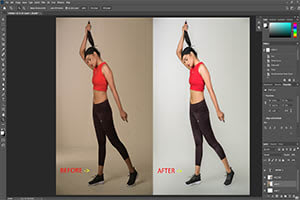
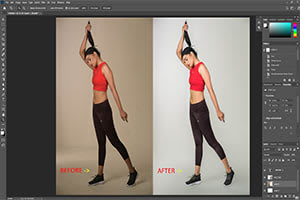
Green Screen Editing (Chroma Keying) removes and replaces green or blue backgrounds to create clean, professional-quality video compositions. Whether you're filming interviews, product demos, YouTube content, training videos, creative skits, or promotional videos — proper green screen editing ensures your final visuals look polished and seamless.
On Vicomma, you can hire green screen editors who specialize in color keying, spill suppression, masking, compositing, edge refinement, and background integration. Using tools like After Effects, Premiere, DaVinci Resolve, Final Cut, and advanced keying plugins, these editors transform raw green screen footage into complete scenes with new environments, animations, or branded visuals.
A great green screen edit turns simple footage into cinematic, studio-level results.
⭐ Why Creators & Brands Need Green Screen Editing
Achieve Clean, Professional Background Removal
No harsh edges, color spill, or low-quality keying.
Place Your Subject in Any Environment
Virtual offices, animated sets, product scenes, branded backgrounds, or custom graphics.
Perfect for YouTube, Courses & Content Creators
Green screen is a favorite for educators, YouTubers, and influencers.
Level Up Video Production Without a Studio
Editors can simulate professional studio environments from basic footage.
Essential for Marketing & Business Videos
Brand consistency and clean visuals improve viewer trust.
⭐ Why Editors Love Green Screen Work on Vicomma
-
High technical-demand category
-
Perfect for VFX and compositing specialists
-
Works with creators, brands, agencies & studios
-
Great for portfolio improvement
-
Often includes recurring editing work
-
Strong crossover with promo, corporate & UGC videos
⭐ Types of Green Screen Editing Services Offered
Green screen editors on Vicomma can deliver:
1. Chroma Keying & Cleanup
-
Removing green/blue screen backgrounds
-
Fine-tuning edges
-
Spill suppression
-
Color correction
2. Background Replacement
-
Realistic background integration
-
Branded virtual sets
-
Animated backgrounds
-
Custom-designed environments
3. Compositing & Visual Integration
-
Matching lighting & shadows
-
Depth & perspective correction
-
Motion tracking
-
Blending subject with new environment
4. Green Screen for Social Content
-
React-style greenscreen (TikTok / Reels)
-
YouTube commentary videos
-
Virtual stage aesthetics
5. Creative & Cinematic Green Screen Effects
-
Sci-fi or fantasy environments
-
Dynamic transitions
-
Mixed media overlays
-
Motion graphics integration
6. Multi-Layer Compositing
-
Adding props, graphics, text, or animated elements
-
Layering multiple characters or scenes
⭐ Editing Enhancements Typically Included
Most editors provide:
-
Clean chroma key removal
-
Color matching between subject & background
-
Crisp edge refinement
-
Noise & grain reduction
-
Lighting and exposure adjustments
-
Motion tracking for moving subjects
-
Shadow & perspective matching
-
Audio cleanup (optional)
-
16:9, 9:16, or 1:1 export formats
⭐ What’s Included in a Green Screen Editing Package
Most editors deliver:
-
Clean key and background removal
-
Professional background integration
-
Branding or custom graphics
-
VFX or motion graphics (if requested)
-
Multiple export versions
-
Revisions to fine-tune realism
-
Fast delivery for social content
⭐ Why Vicomma Is the Best Place to Hire Green Screen Editors
Vicomma connects clients with editors who understand:
-
High-level chroma keying
-
Realistic compositing
-
Professional lighting & color correction
-
Brand-safe visual consistency
-
Social media & cinematic formatting
-
Technical workflows across platforms
You get polished, seamless green screen videos that look professional on any platform.
⭐ Frequently Asked Questions (FAQ)
Q1: What footage is best for green screen edits?
Footage with even lighting, minimal shadows, and a clean green or blue background works best.
Q2: Can editors fix poorly lit green screen footage?
To an extent — experts can improve it, but results depend on the original quality.
Q3: What backgrounds can be added?
Virtual sets, branded environments, animated scenes, studio looks, or any custom design.
Q4: Can editors match my existing video style?
Yes — color, lighting, and tone can be matched.
Q5: Do editors work with 4K footage?
Absolutely — most support HD, 4K, and even higher resolutions.
Q6: Can this be used for YouTube videos?
Yes — green screen content is popular for commentary, tutorials, and presentations.
Q7: Are revisions included?
Most editors offer 1–3 rounds of revisions.
Q8: Do editors add motion graphics or titles?
Yes — many offer text animation, overlays, and branded graphics.
Q9: Can this be used in promotional videos?
Yes — green screen is great for product or spokesperson videos.
Q10: Can editors integrate multiple people or layers?
Yes — multi-subject compositing is supported.
Q11: Do you need all the footage at once?
Editors can work from staged batches or complete uploads.
Q12: How long does green screen editing take?
Typically 1–5 days depending on complexity and effects.